Auto-Watermark
Every AI Fashion Photo
Non-destructive, full-resolution watermarking applied automatically to single images or entire batches, download branded or clean versions anytime.

Smart Watermarks for Every Image
Build reusable watermark templates for your brand, apply them instantly, and keep every generated image consistent.

Create a Watermark Template
Start by adding a new watermark template from your Brand Watermarking dashboard. Upload your logo or brand mark and create a reusable setup for future images.
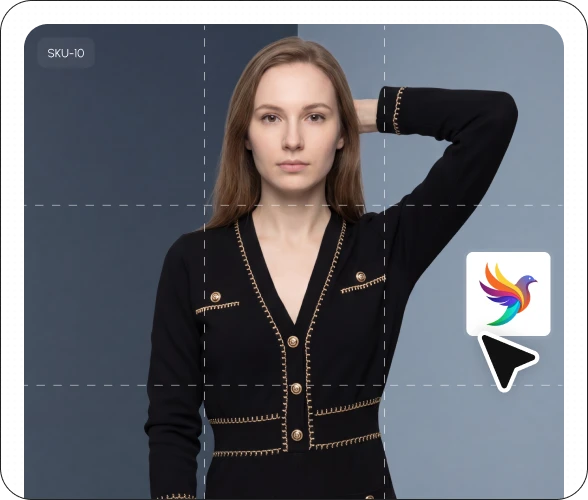
Edit & Manage Templates
Need updates? Easily edit existing watermark templates, replace logos, or remove outdated templates whenever your branding evolves.

Preview Before You Apply
See a live preview of your watermark before saving the template. Instantly check placement, size, opacity, and overall appearance to ensure it matches your brand perfectly.
Branded Deliverables
The result is high-quality output you can confidently use across campaigns, content, and creative workflows.
FAQs
Frequently asked questions
AI brand watermarking automatically applies your logo or text watermark to every AI-generated fashion photo — as a PNG with a transparent background or as styled text, positioned in a corner, center, or tiled across the image. With Stylic.ai, you set it up once and it applies automatically to every image you generate afterward, with no manual editing per photo.
No. Watermarks are applied as a non-destructive layer — the underlying image keeps its full commercial resolution. You can download both the watermarked and unwatermarked versions of the same image, so you always have a clean copy available if you need it.
No. Your logo, position, and opacity settings save to your account after the first setup. Every future photoshoot — single images or full batches — applies your saved watermark automatically, with no reconfiguration needed.
Yes. Stylic.ai's watermarking processes entire batches of images in a single pass, applying your brand consistently across every photo at once — useful when you're watermarking a full catalog or campaign set rather than one image at a time.
It depends on the use case. Watermarks are generally best avoided on marketplace primary listing images (Amazon, Flipkart), where they can conflict with platform image requirements. They're most valuable for social media content, lookbooks, and wholesale catalog distribution, where visible brand attribution helps prevent unauthorized reuse.